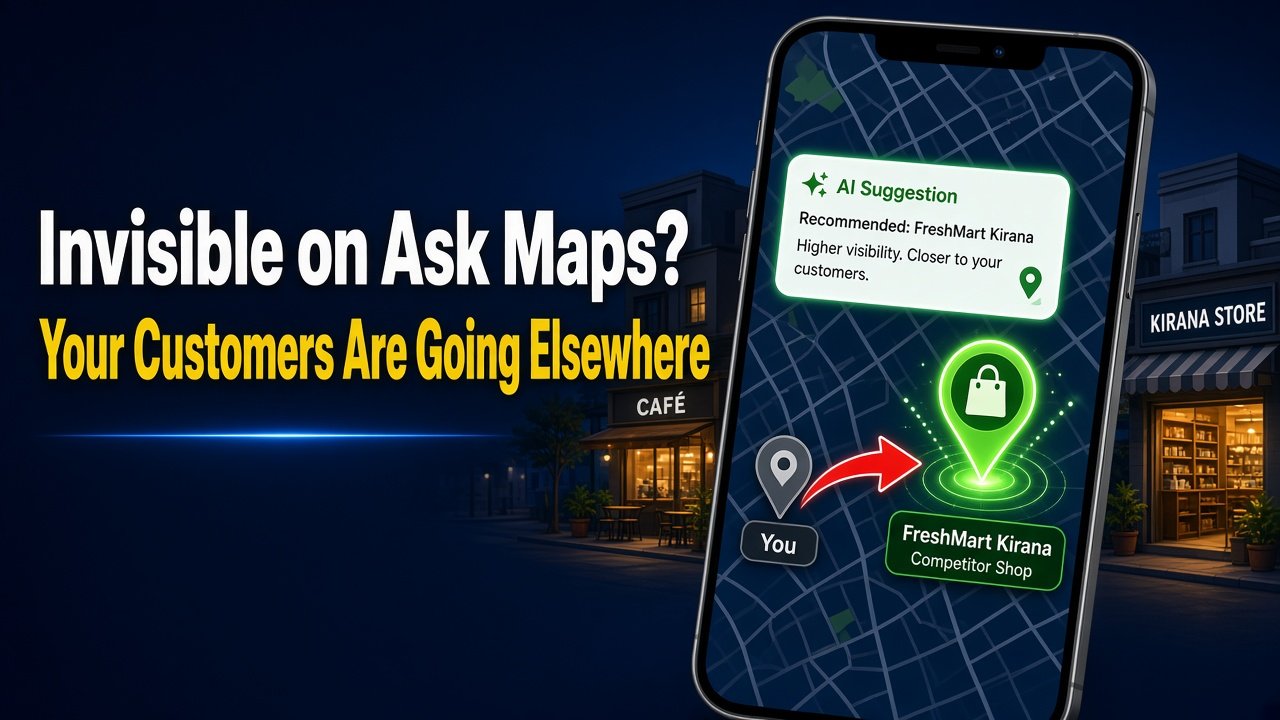
Google Ask Maps and Google AI Mode now answer local questions with a short list of businesses and a reason for each one. If your shop, clinic or institute isn’t in that short list, the customer may never scroll to find you. Both tools lean on the same things: your Google Business Profile, your reviews and what your website says.
In this guide I’ll cover what each feature is, what actually works in India today, how the AI seems to pick businesses, a prep checklist you can finish this week, how Hindi and Hinglish searches fit in, and a simple way to check your own visibility every month.
What Ask Maps and AI Mode Mean for Local Businesses
These are two different products. They just happen to run on the same Gemini models, so people mix them up all the time, including plenty of business owners I talk to. Here’s the plain version of each, and then what is live in India right now.
Ask Maps: Gemini Answers Inside the Google Maps App
Ask Maps is a button inside the Google Maps app. You tap it and type or speak a full question, something like “a quiet cafe near the metro with parking where I can sit with my laptop for two hours”. Instead of a long list of pins, you get a handful of places with a short explanation of why each one fits.
The data behind it is huge. According to Google, Ask Maps analyses information from over 300 million places, including reviews from more than 500 million contributors globally (source: Google India blog, March 2026). That is why the quality of your own listing matters so much. The AI is reading everything about you, and about the shop next door.
Two more things a business owner should know. Answers can be personalised using places the user has searched for or saved, so two customers standing on the same road might see different suggestions. And the user can act right there: get directions, save the place, or book a table at some restaurants. So the gap between “found you” and “visited you” gets very short.
AI Mode: Conversational Local Answers Inside Google Search
AI Mode lives inside Google Search, not Maps. People use it for longer questions with follow-ups, like comparing two coaching institutes or asking which dentist near them works on Sundays, and the answer can name local businesses along the way. I’ve explained how it differs from normal results in my post on Google AI Mode vs Google Search, so I won’t repeat that here. For a local owner, the short version is this: Google AI Mode for local business in India is one more place where you either get named or you don’t.
What Is Actually Live in India Right Now
A common question I get is “is Ask Maps available in India?” Yes. India was one of the two launch countries. Here’s the timeline from Google’s own announcements:
- June 2025: AI Mode launched in India in English, as a Labs experiment.
- September 2025: AI Mode added Hindi.
- October 2025: AI Mode started rolling out in Bengali, Kannada, Malayalam, Marathi, Tamil, Telugu and Urdu, and Search Live arrived in English and Hindi (Google India blog).
- March 2026: Ask Maps launched in India and the US, in English, on Android and iOS.
- August 2026: Ask Maps got Hindi, live public transport updates and an opt-in link to Gmail called Personal Intelligence (Google India blog).
Not everything reaches India on day one, though. In mid-November 2026 Google added trip itineraries to Ask Maps, but appointment finding and “know before you go” tips started in the US only. Features roll out in stages, so check Google’s blog before you plan around any specific one.
Here’s how the two compare side by side:
| Feature | Ask Maps | AI Mode |
|---|---|---|
| Where it lives | Google Maps app | Google Search (AI Mode) |
| How people ask | Text or voice questions about places, routes and plans | Longer questions with follow-ups, by text, voice or image |
| What it leans on | Maps data: places, reviews, photos, live info, plus web content | Google’s index plus Business Profile information |
| What users can do | Get directions, save places, book some restaurant tables | Read the answer, follow links, compare options |
| Languages in India | English and Hindi | English, Hindi and 7 more Indian languages |
How Google Maps AI Decides Which Businesses to Recommend
Google hasn’t published a scoring formula for Ask Maps, and I’m not going to pretend it has. What we do have is Google’s local ranking guidance, some solid industry testing, and a pattern that keeps showing up when you run real queries.
One finding is worth keeping in mind before anything else. In a BrightLocal study of 200,085 localised searches, Google Maps mentioned a tracked business in 66% of searches, while AI Mode mentioned it in only 32% (BrightLocal, September 2026). That study wasn’t done in India, so treat it as a direction, not an Indian benchmark. Still, the message is clear enough. Ranking well in Google Maps AI and ranking well in the normal map pack are not the same thing.
Relevance, Distance and Prominence Still Decide the Shortlist
Google’s own help page says local results are mainly based on relevance, distance and prominence (Google Business Profile Help). Relevance is how well your profile matches what someone asked. Distance is how far you are. Prominence is how well known you are, which includes reviews and how many websites mention or link to you.
Nothing about Ask Maps throws that out. What changes is the extra step on top. When someone asks “how does Ask Maps choose which businesses to show me”, the honest answer is that it first finds businesses that match on these basics, then it needs enough detail to explain why each one suits that exact request. If it can’t write that explanation, you are less likely to make the cut, even if you’re closer.
Why Specific Details and Review Language Now Matter More
Think about the questions people actually type now. Not “dentist Ahmedabad” but “dentist near Satellite open Sunday who is good with kids”. Every condition in that sentence is a filter.
A profile that says “best dental clinic in the city” gives the AI nothing to work with. A profile that lists Sunday hours, paediatric dentistry as a service, and wheelchair access gives it three reasons to name you. Specific beats impressive.
Reviews work the same way. Industry testing, including analysis published by Search Engine Land, has seen Ask Maps describe businesses using themes that come straight from review text, things like “explains everything patiently” or “on time for early appointments”. Google hasn’t confirmed this as a ranking factor, so I’d call it a strong observation rather than a rule. But your Google Maps reviews are clearly doing more than adding stars now.
How to Get Your Business Ready for Both
This is the part where you actually do something. None of it needs a big budget, and most of it is the same local business SEO work that always mattered, just done with more detail than most owners bother with.
A lot of local SEO in India still stops at claiming the listing and adding a logo. That isn’t enough anymore.
If you’re wondering how to show up in Ask Maps or how to rank a local business in AI Mode, the steps below cover both. Same sources, same fixes.
Complete Your Google Business Profile Like a Checklist
Your Google Business Profile is the main thing these tools read about you. Google itself says, in its guide to generative AI features, that using Business Profiles can help your products and services be visible in AI responses (Google Search Central). So if you’ve been asking how to optimise Google Business Profile for AI, the answer starts with filling it properly.
Go through it field by field:
- Regular hours, and special hours for Diwali, Eid, Navratri or any day you shut early.
- A plain description of what you do and for whom. No keyword lists.
- Products and services, named the way customers say them.
- Real photos of the entrance, the counter, the seating, the parking.
- Phone, website and opening date, all correct.
I’ve covered the basic setup of a Google Maps business listing in my guide to Google Maps optimisation, so start there if your profile is new.
Choose Specific Categories and Every Attribute That Applies
Your primary category should say what the business is. “Pediatric dentist” rather than “dentist” if that is genuinely your main work. Don’t add a category for every service you offer, Google’s guidelines ask for the fewest categories needed.
Attributes are where most Indian listings are weak. Wheelchair access, parking, Wi-Fi, payment options, women-led, outdoor seating. Each one is an answer to a condition someone might put in a question. My tip: walk around your own premises with your phone and tick off every amenity that is actually there. You’ll find three or four you forgot.
Build Service Pages That Answer Real Customer Questions
Google says Ask Maps uses insider tips from real people and web content, not just your profile. So your website matters too.
Most local business sites in India have one “Services” page with six bullet points. That doesn’t answer anything. A better approach is one page per main service, with the answer to the most common question in the first line. How much does it roughly cost? How long does it take? Which areas do you cover? Can someone book on WhatsApp? Which languages do your staff speak?
And please, keep the name, address and phone on your site exactly the same as your profile. Small mismatches confuse people and machines alike.
Earn Honest Reviews That Describe Real Customer Situations
Ask every customer for a review. Every one, not only the happy ones you hand-picked, because Google’s policy doesn’t allow selective asking or offering anything in return.
What you can do is make it easy and let people write in their own words. A review that says “the doctor explained the treatment in Gujarati and didn’t rush us” helps far more than “nice service 5 stars”, because it gives the AI a real situation to match. Reply to reviews too, especially the critical ones, and keep the replies calm and specific.
Quick Playbook for Common Indian Local Business Types
Different businesses get asked different things. The example questions below are illustrations I wrote, not real search data, but they’re the kind of thing customers ask every day.
| Business type | Example customer question | Details the AI needs to find |
|---|---|---|
| Restaurant or cafe | “Pure veg place near CG Road with parking for a family of 8” | Menu, veg or Jain options, seating size, parking, hours |
| Clinic or dentist | “Skin doctor near me open Sunday evening” | Specialisation, doctor names, Sunday hours, appointment method |
| Coaching institute | “NEET coaching in Kota with small batches and hostel help” | Courses, batch size, timings, fee range, nearby accommodation |
| Salon or spa | “Salon near me ladies only, bridal package” | Services with prices, women-only attribute, booking options |
| Home services (plumber, AC repair, pest control) | “AC repair same day in Pune, Sunday” | Service area, response time, weekend availability, brands handled |
| Retail or kirana store | “Kirana near me with home delivery and UPI” | Delivery, payment options, hours, product range |
A few shortcuts look tempting but tend to backfire:
- Stuffing keywords or city names into your business name. Google can suspend profiles for it.
- Buying reviews, or running WhatsApp groups that swap them.
- Different hours on your website, your profile and directories like Justdial.
- Copy-paste location pages for areas you don’t actually serve.
- Ignoring suggested edits. Anyone can propose a change to your listing, and some do get applied.
Hindi, Hinglish and Regional Language Searches Need Attention
India doesn’t search in one language, and these tools now reflect that. Ask Maps works in English and Hindi here, and AI Mode works in English, Hindi and seven more Indian languages. For local SEO for AI search in India, that changes what “being visible” means for a lot of businesses outside the metros.
Test Prompts the Way Your Customers Actually Talk
Pick one service and ask about it three ways. Say you run a salon in Indore:
- English: “good salon near Vijay Nagar for bridal makeup with parking”
- Hindi: “विजय नगर के पास पार्किंग वाला अच्छा ब्राइडल मेकअप सैलून”
- Hinglish: “Vijay Nagar mein bridal makeup ke liye accha salon, parking ho”
These are only examples. Note whether you’re named, whether the details are correct and which sources show up. I haven’t seen any published data showing one language gives better results than another, so don’t assume. Just test.
A couple of simple fixes help regardless. Mention the languages your staff speak where it’s relevant, and use the area and landmark names your customers actually use. Leave Hindi or Gujarati reviews exactly as they are.
How to Check and Track Your AI Visibility
There’s no Ask Maps report inside Google Business Profile, so you have to check things yourself. Here’s the routine I’d suggest, once a month:
- Write down 10 real questions customers ask you, from calls, WhatsApp chats and walk-ins.
- Ask them in Ask Maps and in AI Mode on your phone with location on, and note who gets named.
- Repeat on another day and from another area. Answers change between runs and by location, which is exactly what the BrightLocal data above showed.
- Fix the source, not the answer. Correct your profile or website first, then use the feedback option on the AI answer if something is plainly wrong.
- Track your keywords and local rankings over time with a proper tool.
For that last step I use Semrush for keyword research and for tracking local and AI visibility over time, and it saves a lot of manual checking. A tool won’t replace the manual prompt test, though. You still need to see what a real customer sees on a real phone. This is generative engine optimization at its most practical: knowing whether the machine names you, and fixing what it gets wrong.
Final Takeaways for Indian Local Business Owners
These are the questions I hear most from local business owners about Gemini in Google Maps and in Search. Short answers, based on what Google has actually said.
The AI shortlists fewer businesses than a normal map search, and it needs specific, consistent details before it names you. India already has both tools, in English, Hindi and more. So don’t wait for this to “arrive”.
One thing to do this week: run the 10-question test, find the first wrong or missing detail about your business, and fix it at the source.
Not sure if Google’s AI is recommending you or your competitor? Get a local AI visibility check from me.
FAQs:
Is Ask Maps free for users and for businesses?
Yes. Ask Maps is a feature inside the Google Maps app, so users don’t pay for it, and there is no fee for a business to be included. You get in through a complete Business Profile, honest reviews and a useful website, not through payment.
Can businesses pay to appear in Ask Maps answers?
No. When Google launched Ask Maps, it said paid placements currently don’t influence which places get recommended. Google’s help pages also say nobody can pay for a better local ranking, so the quality of your listing is what counts.
Does Ask Maps work on desktop or only on phones?
Ask Maps launched in the Google Maps app on Android and iOS, and Google said desktop support would come later. Open Google Maps on your computer to see if it has reached you yet, but plan your testing around phones, since most local searches happen there.
Do I need a website to appear in AI Mode?
Not strictly. A complete, verified Business Profile can be enough for AI Mode to name you. But a clear website gives it far more detail to quote, like prices, timings, service areas and booking options, so in practice a simple site helps a lot.
Is Ask Maps the same as the Gemini app?
No. Ask Maps is built into Google Maps and uses Gemini models together with Maps data such as places, reviews, photos and live traffic. The Gemini app is a separate general assistant that you open on its own, outside Maps.
Does schema markup help a business appear in AI Mode?
Google says there is no special schema needed to appear in AI Overviews or AI Mode. Normal LocalBusiness structured data can still help Google understand your pages, as long as it matches what visitors can actually see on the page.
Can a new business with few reviews get recommended?
Yes, it can. Relevance and distance still matter, so a new business with a complete and specific profile can appear for the right questions. Reviews build prominence over time, so start asking every customer for one from the very first week.
How should multi-outlet brands manage Ask Maps for every branch?
Give every outlet its own verified Business Profile with its own hours, phone number, photos and services. Don’t copy one description across all branches. Then test a few locations each month, because each one is judged on its own details.
Does Ask Maps work in tier 2 cities and towns?
Google announced Ask Maps for India as a whole, not for selected cities. How useful it is in your town depends on how much accurate information Google has about your area and your business, which is one more reason to keep your listing complete.
Is Google AI Mode the same as AI Overviews?
No. AI Overviews are short AI summaries shown at the top of normal search results. AI Mode is a separate, conversational search experience where people ask longer questions and follow-ups, and it can name local businesses inside the answer.

Ankit Prajapati
Digital Marketing Professional | SEO Consultant | Teetotaller | Music Buff | Early Bird. "Love to do SEO for Humans, not for Bots." As an SEO Consultant, I will identify the opportunities to make your website user-friendly, improve visibility, traffic and leads. I also help SEO freshers and experienced SEO professionals in resolving their SEO errors and their queries for free, which extends my skill sets.
Comments are closed