 View Markdown
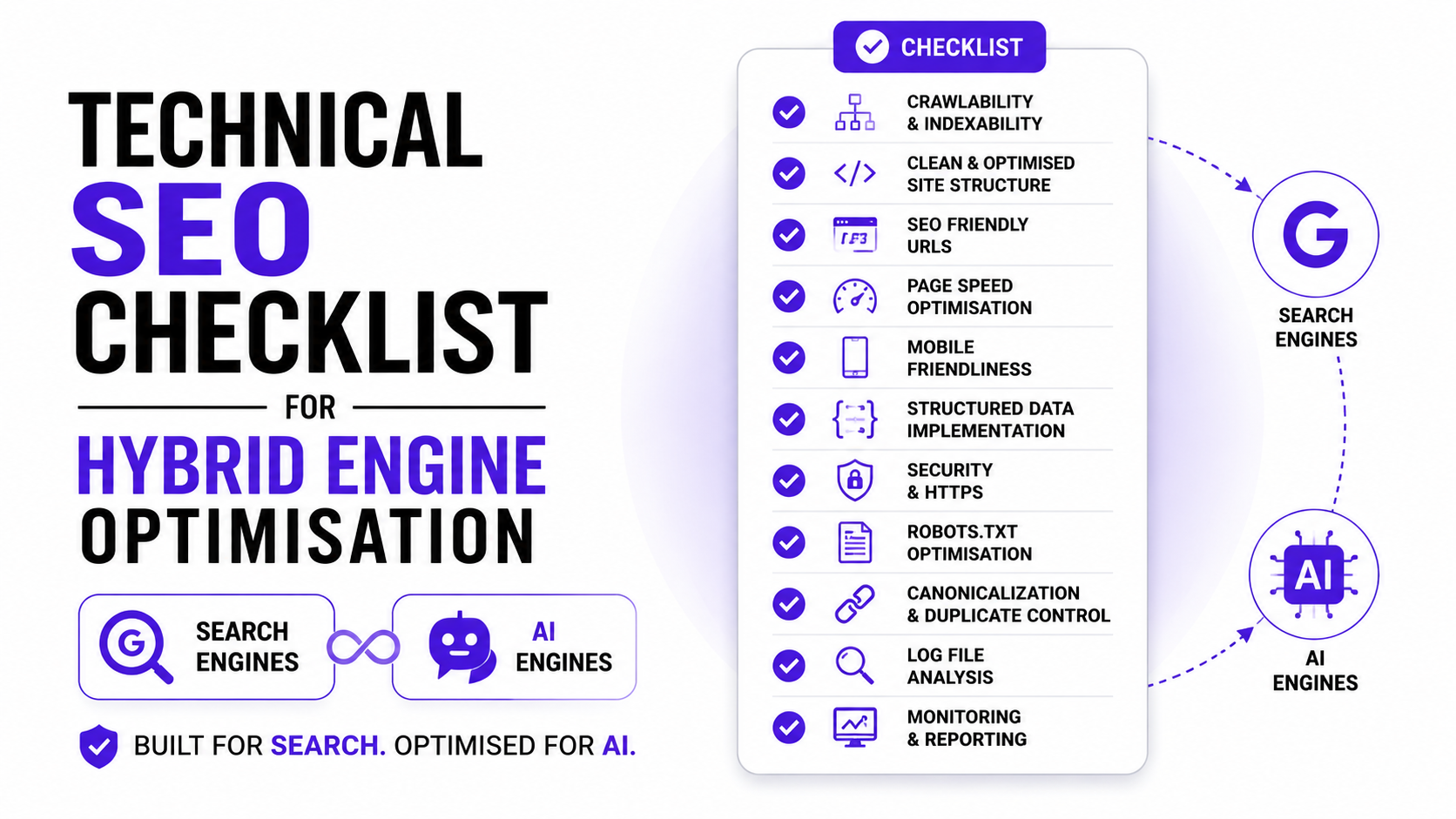
A technical SEO checklist for Hybrid Engine Optimisation covers crawlability, robots.txt rules for AI bots, llms.txt setup, JavaScript rendering, Core Web Vitals, schema markup, and crawl log monitoring, all aimed at making your site readable by Google and citable by ChatGPT, Perplexity, and Gemini at the same time. Get this layer wrong and nothing else you do for HEO will hold up.
Table of Contents
Why Technical SEO Decides Your AI Visibility First?
Most teams jump straight to content when they hear about HEO. Write better answers, add more FAQs, structure the page well. All of that matters, but none of it matters if a bot cannot reach the page in the first place.
Think of technical SEO as the front door. Content is what happens once someone is inside the house. You can have the best furniture in the world, but if the door is locked, nobody sees it.
- What breaks first when AI crawlers can’t read your site?: A blocked robots.txt rule, a JavaScript-only page, or a 500 error on a key URL stops a bot before it ever reads a single word of your content. These are the failures that show up as zero visibility, not low rankings. Your page does not rank poorly in AI answers. It simply does not exist for them.
- The difference between ranking-blockers and citation-blockers: Some technical issues hurt Google rankings specifically, like slow load times or duplicate content. Others hurt AI citation specifically, like JavaScript-rendered text that Googlebot can process but GPTBot cannot. A checklist for HEO has to cover both categories, because fixing one does not automatically fix the other.
- Why fixing this layer before content work saves rework: If you rewrite twenty blog posts for AI extraction and then discover half of them are sitting behind a JavaScript wall invisible to GPTBot, you have wasted the content work until the technical fix lands. Audit the foundation first, then build content on top of it.
Audit Your Crawlability Before Anything Else
Before touching schema or robots.txt, confirm the basics are actually working. A surprising number of sites carry small crawlability problems that have sat unnoticed for months, sometimes years.
This step takes under an hour for most small to mid-sized sites and it tells you exactly where to focus the rest of this checklist.
1. Check Google Search Console for indexing gaps
Open Search Console and go to Pages under the Indexing section. Look specifically at the “Discovered, currently not indexed” and “Crawled, currently not indexed” buckets. Pages stuck here are usually either thin, duplicate, or simply too deep in your site structure for Google to prioritise.
2. Confirm your XML sitemap is current and submitted
Your sitemap should list only canonical, indexable URLs, nothing that redirects, nothing that returns an error. Submit it through Search Console and check the “Sitemaps” report for any flagged issues. An outdated sitemap full of old URLs actively wastes crawl attention.
3. Test for orphan pages with no internal links
Orphan pages exist on your site but have no internal links pointing to them. Bots that rely purely on link-following, which includes most AI crawlers without a sitemap reference, will never find these pages on their own. Run a full site crawl with a tool like Screaming Frog and cross-check it against your sitemap to spot orphans.
4. Verify HTTPS and canonical tags across key pages
Every page should load over HTTPS with no mixed content warnings, and every page should have a single, correct canonical tag. Duplicate or conflicting canonicals confuse both Google and AI crawlers about which version of a page actually matters.
Configure robots.txt for Search Engines and AI Bots
This is where most HEO checklists stop short. They tell you to “allow GPTBot” without explaining that you are actually making two separate decisions wrapped inside one file.
| Decision | What it controls | Bots involved |
|---|---|---|
| Training access | Whether your content trains future AI models | GPTBot, ClaudeBot, Google-Extended, Applebot-Extended |
| Retrieval and citation access | Whether AI tools can cite your content in live answers | OAI-SearchBot, Claude-SearchBot, PerplexityBot, ChatGPT-User |
The difference between citation bots and training bots
OpenAI’s documentation confirms that operators can allow OAI-SearchBot, the crawler that builds ChatGPT’s live search index, while disallowing GPTBot, the crawler used for model training. Anthropic mirrors this setup: Claude-SearchBot can be allowed independently of ClaudeBot. This means you do not have to choose between “all AI access” or “no AI access.” You can opt into citation while opting out of training.
Which AI crawlers to allow: GPTBot, ClaudeBot, PerplexityBot?
If your goal is visibility in AI answers, the crawlers that matter most for citation are OAI-SearchBot, ChatGPT-User, Claude-SearchBot, and PerplexityBot. According to a March 2026 analysis by Search Engine Journal covering 24 million proxy requests across 69 customer websites, ChatGPT-User alone made 3.6 times more requests than Googlebot with a 99.99% success rate, which gives you a sense of how active real-time AI browsing already is on an average site.
If brand exposure across all platforms matters more to you than training concerns, allowing GPTBot and ClaudeBot as well is the simpler route, and it is what most service businesses choose.
Should you block bots that train models but don’t cite you?
This is a judgement call rather than a technical one. Blocking training crawlers protects your content from being absorbed into a model’s training data, but training and citation are not always cleanly separated in practice. Some publishers block GPTBot specifically while leaving OAI-SearchBot open, which is a reasonable middle ground if training use concerns you.
Cloudflare Radar data from May 2026 shows just how unsettled this situation still is. GPTBot held 11.48% of AI bot HTTP requests that month against ClaudeBot’s 9.73%, a reversal from April when ClaudeBot led 11.69% to 9.84%. Reading any single month as a durable ranking is a mistake since the volumes are volatile, so revisit your robots.txt policy every few months rather than setting it once and forgetting it.
How to test your robots.txt is working correctly?
Use Google’s Inspect URL Tool inside Search Console to confirm Googlebot rules parse correctly. For AI-specific bots, the simplest test is watching your server logs for a week after any change and confirming the bots you allowed are actually showing up with 200 status responses, not 403s.
Set Up llms.txt for Large Language Models
llms.txt is a proposed standard, not an official protocol any AI company has formally adopted, and it is worth setting expectations correctly here. Some technical analysts have gone as far as saying it has no proven effect on retrieval. Treat it as a low-cost, low-risk addition rather than a guaranteed visibility lever.
- What llms.txt does that robots.txt cannot?: Robots.txt tells bots what they are allowed to crawl. llms.txt is meant to give language models a clean, summarised map of your site’s most important pages, written in plain markdown rather than HTML. It does not control access. It is closer to a curated reading list than a gatekeeper.
- The exact format and where the file should sit: The file lives at yourdomain.com/llms.txt, written in markdown, starting with an H1 site name, a short description, and then linked sections pointing to your most valuable pages. Keep it short. A bloated llms.txt defeats the purpose of giving models a quick, clean summary.
- Which pages to prioritise inside the file? List your pillar pages, your most authoritative cluster content, and any page you would want an AI tool to reference first if someone asked about your core service. Skip thin pages, tag archives, and anything you would not want quoted out of context.
Fix JavaScript Rendering Issues Most Checklists Skip
This is the single most underreported technical gap in HEO advice right now, and it deserves more attention than most checklists give it.
Why most AI bots cannot execute JavaScript like Googlebot can?
Googlebot uses a headless Chrome-based rendering engine that processes JavaScript before indexing a page. Most AI crawlers do not. An analysis of over five hundred million GPTBot fetches by GetPassionfruit found zero evidence of JavaScript execution, meaning that if your server returns an empty shell with a script tag, GPTBot sees nothing at all. Vercel’s own crawler analysis reached the same conclusion across the AI crawlers it monitored, noting that none of the major AI bots they tested currently render JavaScript.
There is one exception worth knowing. Google-Extended, the crawler that feeds Gemini’s training, inherits Googlebot’s rendering infrastructure, so it can process JavaScript. Every other major AI crawler, including GPTBot, ClaudeBot, and PerplexityBot, reads raw HTML only.
How to check if your key content needs JS to render?
Right click any important page and select View Page Source, not Inspect Element. If your actual product details, pricing, article text, or FAQ answers appear in that raw source, AI crawlers can read them. If you see only an empty container div and script tags, your content is invisible to most AI tools regardless of how well it ranks on Google.
Server-side rendering as a fix for AI crawler visibility
If your site runs on React, Vue, or Angular, frameworks like Next.js, Nuxt, or Angular Universal can render the critical content server-side before it ever reaches the browser. This puts your text in the initial HTML response, where AI crawlers can actually find it, while keeping full interactivity for human visitors. A single-page application can rank position one on Google through Googlebot’s rendering pipeline and still be completely blank to ChatGPT, Claude, and Perplexity at the same time.
Testing your pages with JavaScript disabled
Most browsers let you disable JavaScript through developer tools. Load your key pages with JS off and check whether your main content, schema markup, canonical tags, and meta descriptions are still present. If they vanish, you have found a real gap, not a theoretical one.
Core Web Vitals and Page Speed for Both Engines
Speed has not stopped mattering just because AI search has arrived. If anything, it matters for a wider set of audiences now.
- LCP, INP, and CLS thresholds that still matter: Aim for Largest Contentful Paint under 2.5 seconds, Interaction to Next Paint under 200 milliseconds, and Cumulative Layout Shift under 0.1. These three metrics, checked through PageSpeed Insights or the Core Web Vitals report in Search Console, remain Google’s baseline for a healthy page.
- Why slow pages get crawled less by every bot?: Search engines and AI crawlers alike allocate a finite amount of time and resource to each site. Slow response times mean fewer pages get crawled within that budget, for Googlebot and for GPTBot equally. A fast server response is one of the few technical wins that helps every crawler without exception.
- Quick wins that improve speed without a redesign: Compress images before upload rather than relying on plugins to do it after the fact. Defer non-critical JavaScript. Use a content delivery network if your audience is geographically spread out. None of these require touching your site’s design, and most can be done in an afternoon.
Schema Markup That Helps Citation, Not Just Rich Snippets
Schema gets mentioned in nearly every HEO checklist, usually as a flat list of types to add. What gets left out is why each type specifically helps AI extraction, which matters if you want to prioritise correctly with limited time.
Article schema and why dates matter for freshness signals
Article or BlogPosting schema should include datePublished and dateModified fields, filled in accurately rather than left static. AI systems weigh content freshness when deciding what to cite, and a modified date that never changes signals a page nobody maintains.
FAQPage schema as a direct feed into AI answers
FAQ schema gives search engines and AI tools clean, pre-packaged question and answer pairs. This is one of the easiest schema types to implement and one of the most directly useful for AI Overview and chatbot answer extraction, since the structure already matches how these systems want to consume information.
HowTo schema for step-by-step and process content
If you publish tutorials or numbered processes, HowTo schema marks each step clearly, which helps AI tools surface a clean sequence rather than guessing at structure from prose.
Organisation and Person schema for entity trust
Organisation schema on your homepage, paired with Person schema on author bios, builds the entity profile AI systems use to verify who is actually behind the content. Include sameAs links to your LinkedIn and other verified profiles.
Speakable schema for citable, self-contained sections
Speakable schema, originally built for voice assistants, marks specific sections as ideal for short, standalone summary. Keep these sections under 200 words and make sure they read completely on their own. This effectively hands AI tools a pre-written quote, which can help your phrasing show up closer to verbatim in generated answers.
How to validate every schema type before publishing?
Run every page through Google’s Rich Results Test before it goes live, and check it again after any template change. Schema that does not match the visible content on the page is treated as a quality problem by Google, not a feature.
Handle Status Codes the Way AI Crawlers Expect
A change Google quietly confirmed in December 2025 has not made it into most technical checklists yet, and it has real consequences for how forgiving the system is toward broken pages.
Why 4xx and 5xx pages can be dropped from rendering entirely?
Google clarified that pages returning non-200 status codes may be excluded from the rendering queue altogether, not just penalised in ranking. If your 404 page relies on client-side JavaScript to show “recommended products” or similar content, Googlebot may never even attempt to render that script. The same logic applies more strictly to AI crawlers, which were never rendering JavaScript in the first place.
Auditing your site for broken pages bots still hit
Cross-reference your crawl log data against a full site crawl to find URLs that bots keep visiting despite returning errors. These are often old product pages, deleted blog posts with lingering backlinks, or pagination URLs left over from a platform migration.
Fixing redirect chains before they waste crawl budget
A redirect chain, where one URL bounces to another redirect before finally landing on the real page, wastes crawl attempts and slows down every bot that follows it. Update internal links to point directly at the final URL rather than relying on the chain to resolve itself.
Structure URLs and Site Architecture for Crawl Efficiency
Architecture decisions made early tend to compound, for better or worse, as a site grows.
Clean, descriptive URL patterns over parameters
A URL like /blog/technical-seo-checklist/ tells both a human and a bot what the page is about before either reads a single word of content. Heavy parameter strings, especially from filters and tracking tags, create thousands of near-duplicate URLs that drain crawl budget without adding value.
Flat site structure that keeps key pages reachable
Try to keep your most important pages within three clicks of the homepage. Pages buried six or seven levels deep get crawled less frequently by every bot, search engine or AI, simply because they are harder to reach through normal link-following.
Internal linking that signals topical clusters to AI tools
Link your pillar pages to related cluster articles and back again. This is not just a Google ranking signal. It also helps AI systems understand which pages belong to the same topic, which can influence whether they treat your site as a single authoritative source on a subject rather than a scattered collection of unrelated posts.
Monitor Crawl Behaviour With Log File Analysis
Search Console and standard analytics tools only show part of the picture, since most AI bots do not load the scripts those tools depend on to register a visit.
Why log files show the truth standard analytics miss?
Server logs record every single request, human or bot, regardless of whether JavaScript ever executes. This is the only reliable way to confirm whether GPTBot, ClaudeBot, or PerplexityBot is actually visiting your site and which pages they care about.
What to check for GPTBot and ClaudeBot specifically?
Filter your logs by user agent string and look at which of your pages each bot visits most, how often they return, and what status codes they receive. A pattern of repeated visits to your pillar content is a good sign. Silence on a page you expected attention for usually points back to one of the crawlability issues earlier in this checklist.
If you want the full walkthrough on pulling and reading these files, I have covered the entire process step by step in how to do log file analysis, including which tools to use and how to combine log data with a full site crawl.
For teams that want to connect this technical layer to visibility outcomes, Semrush can pair SEO performance monitoring with AI visibility tracking through its AI Visibility Toolkit. Use it after the server-log checks to compare crawler access, rankings, brand mentions, citations, and visibility trends in one workflow, so technical fixes are tied back to whether key pages are becoming easier to find, understand, and reference.
Verify Every Fix Actually Worked
Most technical checklists stop at the fix. A checklist that actually holds up needs a verification step attached to every item, otherwise you are trusting that the change worked rather than confirming it.
Re-test robots.txt and llms.txt after changes
Reload both files directly in a browser after publishing changes and confirm the syntax is exactly what you intended. A single misplaced character in a robots.txt file can accidentally block an entire bot you meant to allow.
Confirm schema renders correctly in Google’s Rich Results Test
Run the test again after any deployment, theme update, or plugin change. Schema that worked perfectly last month can silently break after a site update nobody flagged as risky.
Check AI crawler activity in logs after updates
Give it a week, then pull your logs again and confirm the bots you opened access to are actually showing up. If GPTBot or PerplexityBot still shows zero visits after you allowed them, something else in the chain, often a CDN or firewall rule, is quietly blocking them anyway.
Build a Maintenance Schedule, Not a One-Time Audit
Technical SEO for HEO is not a project with an end date. Treating it like one is probably the single biggest reason checklists stop working three months after someone runs through them once.
Weekly checks after major site or platform changes
Any redesign, CMS migration, or major plugin update deserves a week of close log monitoring afterward. These are the moments most likely to silently break a robots.txt rule or introduce a new JavaScript dependency nobody tested against AI crawlers.
Monthly technical reviews for stable sites
For sites not going through major change, a monthly pass through Search Console, your sitemap, and a quick log check is usually enough to catch problems early.
What to recheck every time you publish new content
Every new page should get a quick schema validation and a confirmation that it appears in your sitemap within a day or two. Small habits at publish time prevent larger cleanup projects later.
Common Technical Mistakes That Quietly Block AI Crawlers
A few mistakes show up again and again across the sites I audit, and most of them are accidental rather than deliberate choices.
| Mistake | Why it hurts | Fix |
|---|---|---|
| CMS blocks AI bots by default | Some platforms ship with AI crawlers disallowed out of the box | Check robots.txt explicitly, don’t assume defaults are open |
| llms.txt forgotten after migration | File gets lost when a site moves hosts or platforms | Add llms.txt to your post-migration checklist |
| Schema doesn’t match visible content | Treated as a quality issue, can suppress rich results entirely | Re-validate schema after any template change |
| Treated as one-time, not ongoing | Bots, platforms, and rules change every few months | Set a recurring calendar reminder for reviews |
Blocking AI bots by accident through CMS defaults
Several content management systems and security plugins now ship with AI crawlers blocked automatically, often without a clear notice to the site owner. Always check your live robots.txt file directly rather than assuming your platform’s defaults match your actual intent.
Forgetting llms.txt after a site migration
Migrations move themes, plugins, and content, but root-level files like llms.txt and robots.txt sometimes get left behind on the old server. Add a manual check for both files to your post-migration checklist.
Schema that doesn’t match visible page content
If your schema declares a price, an author, or a publish date that does not match what is visible on the page, search engines treat that as a trust problem, not a minor mismatch. This can suppress rich results and reduce how much weight AI tools give the page as a citation source.
Treating this as a one-time task instead of a habit
AI crawler behaviour shifted noticeably even within early 2026, with bot rankings on Cloudflare’s network changing month to month. A checklist run once in January can be outdated by June. Build the review cadence into your calendar, not just your to-do list once.
Conclusion
Technical SEO for HEO comes down to one question: can both Google and AI crawlers actually reach, read, and understand your pages. Everything in this checklist exists to answer yes to that question, in order, starting with crawlability and ending with a review habit that keeps working after the first audit is done.
Run through it once fully, fix what you find, then put the maintenance schedule from earlier on your calendar. That second part is what separates a site that stays visible from one that quietly drops out of AI answers six months from now.
If you would rather have someone run this audit against your site directly instead of working through it solo, that is exactly the kind of work I do as an SEO Consultant.
FAQs
What is technical SEO for AI search?
It is the practice of making sure both traditional search engines and AI crawlers like GPTBot, ClaudeBot, and PerplexityBot can access, read, and correctly interpret your website, covering crawlability, robots.txt rules, JavaScript rendering, schema markup, and site speed.
Should I allow GPTBot to crawl my website?
For most businesses chasing AI visibility, yes, though you can choose to allow OAI-SearchBot for citation purposes while disallowing GPTBot specifically if you want to opt out of model training while staying visible in ChatGPT’s live search results.
What is llms.txt and do I need one?
llms.txt is a proposed markdown file that summarises your site for language models. It is not an officially adopted standard and has no confirmed effect on retrieval yet, but it is low cost to add and may help as adoption grows.
Does JavaScript hurt my visibility in ChatGPT answers?
Yes, if your key content only renders client-side. GPTBot, ClaudeBot, and PerplexityBot do not execute JavaScript, so content that depends on it to appear is effectively invisible to them even if it ranks well on Google.
How often should I run a technical SEO audit?
Monthly for stable sites, and weekly for at least a few weeks after any major redesign, migration, or platform change, since these are the moments most likely to introduce a new technical blocker.
This checklist sits underneath the technical pillar covered in what is Hybrid Engine Optimisation. For the content writing side of HEO rather than the technical side, see how to optimise your website for Google and AI search.

Ankit Prajapati
Digital Marketing Professional | SEO Consultant | Teetotaller | Music Buff | Early Bird. "Love to do SEO for Humans, not for Bots." As an SEO Consultant, I will identify the opportunities to make your website user-friendly, improve visibility, traffic and leads. I also help SEO freshers and experienced SEO professionals in resolving their SEO errors and their queries for free, which extends my skill sets.
Comments are closed