To check if AI answers about your brand are correct, review the details shown across tools like Google AI Overview, ChatGPT, Gemini, and Perplexity.
Compare each claim with your official pages, product facts, features, and pricing. Update your site content, add clean schema, and fix old listings on third party pages.
Repeat these checks weekly so you can spot errors early and keep your brand info accurate for users.
Table of Contents
AI tools talk about brands all the time, and people trust those answers fast. Still, the info shown can slip in odd ways. A tiny line may look fine at first, yet the facts inside might not match your real product. That can confuse readers and hurt trust, which is the last thing any brand wants.
Your goal is simple. You want to see what the AI says, compare it with your real data, and fix anything that feels off. Once you follow a few easy steps, the whole process feels lighter. Think of this as a friendly guide that helps you stay one step ahead while keeping things smooth for users who discover your brand online.
With clear steps, steady checks, and a relaxed routine, you can make sure AI tools talk about your brand the right way. That helps users feel confident, and you stay in control of your message with less stress.
Why AI Responses About Brands Go Wrong?
50% of consumers now use AI-powered search. According to a 2025 analysis, about half of consumers use AI-powered search tools.
AI tools learn from mixed sources across the web. When signals are messy, the output becomes messy too. You may see odd numbers, odd claims, or mixed product names.
Short checks each week can save you time. Even small errors can confuse buyers, so early care keeps your brand safe.
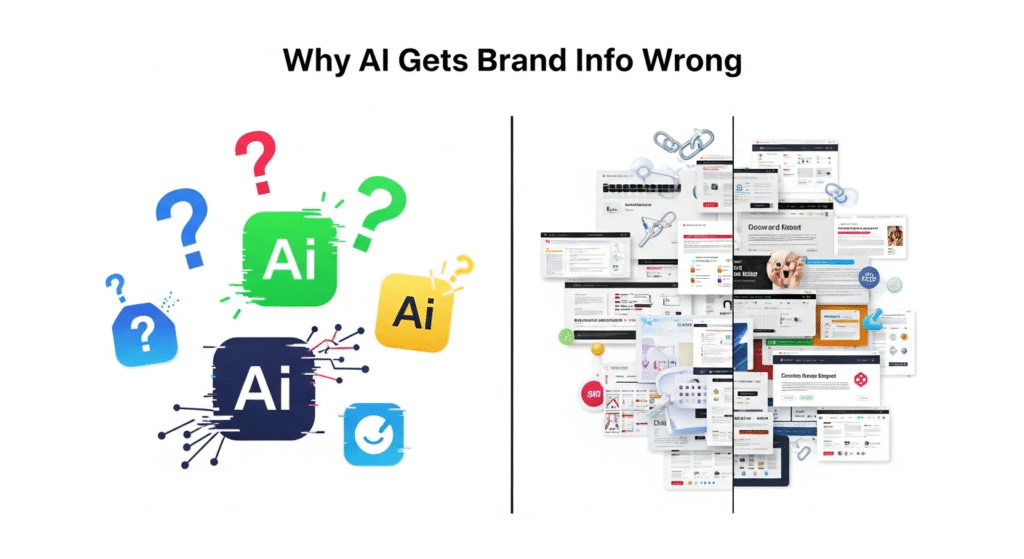
Common issues behind wrong brand details
AI tools try to guess the missing parts. When your site has unclear lines, they fill gaps in odd ways. A small slip can turn into a big mix up. Stay alert so you can fix issues before they spread.
AI can repeat the same bad point again and again. It may blend product features, mix dates, or twist pricing. This is why fact clarity matters so much.
Signs Your Brand Data Shown by AI Is Wrong
Over half of AI-aware people globally are unwilling to trust AI by default. A global 2025 study found more than half of people globally are unwilling to trust AI.
Small lines can hide big errors. A simple claim like a feature or price might not match your real offer. A quick review helps you spot trouble in seconds.
Short checks give you control. Try reading the output like a new user who is seeing your brand for the first time.
Spot errors in product facts and USPs easily
Look at your key items. Check the features, uses, and user benefits. If any point feels off, you should log it. You may notice small shifts like swapped features or old claims that never got fixed on the web.
Some AI tools mix two products that sound alike. This gives users a strange view that hurts trust. Keep calm and line up the facts.
Spot issues in pricing, features, or claims
Price errors show up often. AI might show a guess or an outdated figure. Long feature lists also get twisted. A clear table on your site can fix a lot of these problems.
If a claim seems odd, trace it back to your pages or other sites. The source can be small but it can cause wide impact.
How to Review AI Answers Across Key Platforms?
Each AI system shows your brand in its own way. A few simple checks help you see the full picture. You can compare how each tool talks about your product.
Short tests across platforms stop surprises. This helps you guide your site updates in a smarter way.
Steps to check Google AI Overview outputs
Run a mix of queries. Try your brand name, your products, your problem keywords, and your buyer questions. Check if the AI Overview panel shows correct names, right facts, and updated prices.
If things look odd, write them down. A clear list makes fixing easy. Google AI Overview brand accuracy shifts with search habits, so repeating this check weekly helps.
Steps to check ChatGPT and Gemini replies
Ask direct questions. Try product features, pricing, use cases, and comparisons. ChatGPT brand info can sometimes mix with other products. Gemini might show details that sound safe but still miss key parts.
Look at tone and clarity too. If the lines feel wrong, adjust your site for better signals.
Steps to check Perplexity brand results
Perplexity often cites sources. If the sources look weak, that signals trouble. You might find outdated pages or old reviews. Your goal is to give the tool better places to learn from.
Keep an eye on how often it picks your pages. Strong content increases your weight inside the result set.
Methods to Audit Incorrect AI Mentions Fast
A short checklist saves lots of hours. If your brand name pops up in many chats, you need a fast way to check if the info makes sense.
These steps help you cover a lot of ground without much stress.
Verify brand data using official sources
Always compare the AI claim with your own pages. Your site should be the source of truth. If your site is missing a key fact, the AI will guess. Guessing hurts your brand story.
Try updating your key product lines first. This clears noise at scale.
Compare AI claims with user search signals
Look at what users search for. If AI output does not match those search patterns, something is off. Google Search Console helps you see where users get stuck. AI tools often copy the same confusion.
Better search clarity lifts both ranking and brand trust. Use search signals as your north star.
Ways to Correct Wrong Brand Info in AI Tools
If you find an error, you need a clean fix path. Many errors come from weak pages or vague signals across the web. A small update can shift a large part of the output.
Try these steps each time the AI gets confused.
Tactics to fix wrong answers in Google AI
Strengthen your pages. Add clear product details, updated pricing, and short benefits. Google looks at clarity and stability. Good schema markup can help AI find the correct lines faster.
Google AI Overview brand accuracy improves when your site gives a stable picture. Consistency wins.
How to correct brand data in ChatGPT tools
ChatGPT learns from public sources. Fix your pages, update profiles, and clean third party listings. Over time, the model may pick fresher signals and reduce errors.
If a mistake keeps repeating, log it. Updates across your wider presence clear the path forward.
Content Actions to Improve Your Brand Accuracy
Content clarity shapes how AI tools talk about your brand. A strong set of pages keeps confusion low. Readers also stay longer when facts are clear and easy to read.
The right structure makes a huge difference across AI platforms.
Publish clear product pages with facts
Each product page should show a clean list of features, use cases, price ranges, and updated specs. Simple wording works well. When the AI sees this, the risk of odd output drops.
Keep the lines short. A tidy page is easier for both humans and AI.
Use schema tags to support brand clarity
Schema guides AI tools. Product schema, org schema, and FAQ schema give structure to the info. This reduces mix ups and makes your page look more solid.
Add schema where it fits but keep it clean. Overstuffing can hurt your page.
Build trusted signals across your website
A site that feels steady gains authority. Use strong headings, tables, and lists. Add short reviews. Keep your contact page clear. AI tools often look for signals like these to judge trust.
Consistent signals help AI choose your page as the reliable source.
Monitor Brand Mentions in AI Tools Over Time
AI tools adjust often. This means you need a routine that keeps you aware of shifts in the output. A short weekly check works for most brands.
Try mixing high intent and low intent queries during your check.
Track shifts in AI answer quality weekly
A weekly log can show patterns. You might see changes in claims, tone, or product details. If a wrong point shows up again, fix it fast.
Small shifts can stack over time. Good habits keep your brand clean.
When to Take Action if Errors Keep Repeating
Some errors show up again and again. If you have fixed your pages and cleaned your listings but the AI still shows wrong info, it may need a push.
You can raise the issue with support teams.
When to raise issues with help channels?
Send a short report. Add examples and correct info. Share your updated URLs. This helps teams review the problem faster. Some fixes take time but your effort can start the process.
Keep your notes clear so things move smoothly.
Conclusion:
Checking AI output is not a one time job. Things shift fast, so a simple routine helps you stay ready. When you keep your pages clean, your facts sharp, and your listings updated, the AI has a much easier path to your real story. That cuts down on guesswork and keeps your brand viewed in the right light.
Start with your core pages. Update your product facts, set your schema, and clean up old details on third party sites. These small moves shape the signals AI tools pick up. If you ever notice repeat errors, list them, adjust your pages, and reach out to support teams when needed. A short note can move things forward faster than you think.
Keep checking each week. Look at your brand queries, see how the answers shift, and fix any new issues while they are still small. With steady habits and simple actions, your brand stays accurate, your users stay happy, and your message stays strong across every major AI tool.
FAQs:
1. How do I check if AI gave the right info about my brand?
Look at the answer shown by the AI tool and compare each part with your official pages. Check product facts, features, and prices. If you see a mismatch, update your site and fix old listings. Run this quick review once a week to keep things steady.
2. Why do AI tools show wrong details about brands?
AI pulls details from many places. If the info online is old, unclear, or mixed across sites, the tool may repeat those errors. Clean content, clear product pages, and fresh schema lower the chance of wrong output.
3. How can I fix wrong brand info shown in AI?
Update your core pages with fresh facts. Add simple schema tags. Clean outdated data on third party profiles. These steps help the AI pick the right signals and reduce odd claims.
4. What should I check when AI talks about my product?
Look at the feature list, benefits, price, and use case. Make sure each point matches your live product page. If anything feels off, trace the source and refresh your content.
5. How often should I check AI answers about my brand?
A weekly check works well for most brands. Things can shift fast, so short reviews help you spot issues early.

Ankit Prajapati
Digital Marketing Professional | SEO Consultant | Teetotaller | Music Buff | Early Bird. "Love to do SEO for Humans, not for Bots." As an SEO Consultant, I will identify the opportunities to make your website user-friendly, improve visibility, traffic and leads. I also help SEO freshers and experienced SEO professionals in resolving their SEO errors and their queries for free, which extends my skill sets.
Comments are closed